
Published 23 Dec 2025
How to Get Rid of Comments on Live
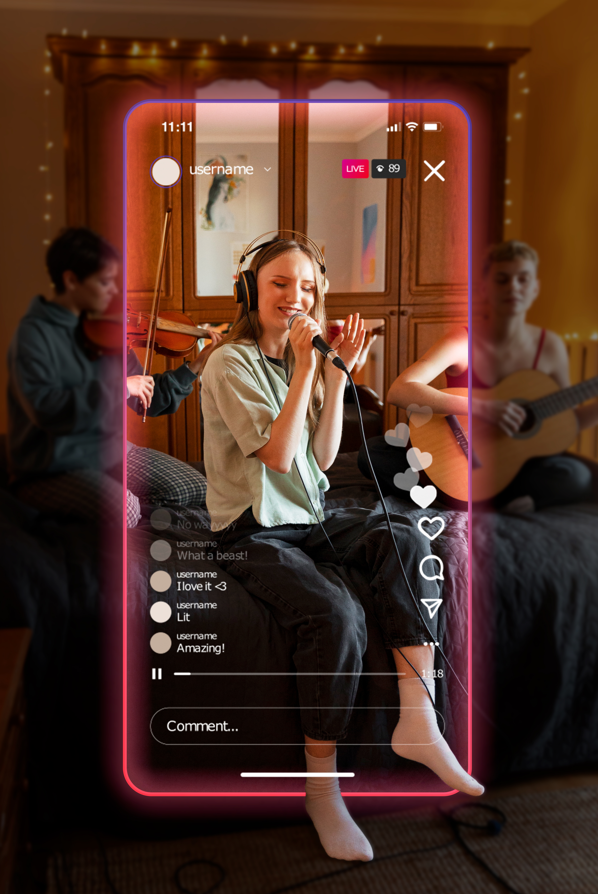
While we all agree that the comments section can be entertaining, it can be very distracting during Lives. More than that – the chat can sometimes be inappropriate or downright disturbing, and this is something that neither viewers nor the host want. The only option is to get rid of it entirely. But how to hide comments on IG Live? Read our newest article and find out!
When You Need to Hide Comments on Live
When you’re running an IG Live session, deciding whether to show or hide comments can be a big deal. Comments can definitely boost engagement, but sometimes it’s better to keep them hidden:
- Better focus on content: If you hide comments, both you and your viewers can concentrate on what you’re presenting without any distractions. This is especially handy for detailed presentations, tutorials, or performances where constant notifications might get in the way.
- Keeping it professional: For business meetings, product launches, or any professional events, hiding comments helps keep everything polished and on point. It prevents the session from going off track and ensures everything runs smoothly.
- Positive vibes only: By hiding comments, you can avoid any inappropriate, negative, or offensive remarks. This keeps the environment safe and positive, and you won’t have to worry about any unwanted comments ruining your broadcast.
- Dodging spam and irrelevant information: Comments can sometimes be full of spam or off-topic messages that don’t add any value. Hiding them lets you focus on meaningful engagement, and you can encourage viewers to message you directly if they have something important to say.
- Less stress for the host: Reading and responding to a flood of comments can be overwhelming. Hiding them helps you stay focused and deliver your content more effectively without getting sidetracked.
- Avoiding spoilers: If you’re streaming live shows, game streams, or sports events, comments can spoil the fun by revealing key moments in real time. Hiding them keeps the experience intact for everyone.
- Handling lots of comments: Popular live streams can get flooded with comments, making it tough to manage. Hiding them simplifies things and stops the stream from getting bogged down by too many messages.
- Protecting privacy: If your live stream involves sensitive or personal content, hiding comments helps protect privacy. It stops accidental sharing of private info and keeps the space secure for everyone involved.
How to Hide Comments on Live as a Viewer
So, you’re watching an Insta Live and those comments are just too distracting? No worries, we’ve got a couple of easy tricks for you to make the stream a lot more enjoyable! First up, if you’re on your phone, here’s how to hide comments on Live if you’re a viewer:
- Tap the screen: While you’re watching the live video, just give the middle of your screen a quick tap. A menu should pop up with an option to hide comments. Just hit “Hide Comments”, and you’ll be able to focus on the stream without those annoying comments popping up.
- Comment section trick: To clear comments from view, open the comment section by tapping on it, then type “@” in the comment box, but don’t send it. This action should remove the comments from your screen. If you want to see the comments again, simply tap the comment section once more.
Keep in mind that these methods might not work perfectly on every device or app version, and new comments could still sneak in from time to time. Now, if you’re catching Insta Live on your PC or Mac, there’s a cool trick for you, too. Use a Google Chrome extension to download the live video. That way, you can save it and watch it later, comment-free.
How to Hide IG Live Comments When You Are a Host
Going live on Social media like Instagram is an awesome way to connect with your followers in real time, but the flood of comments can get pretty overwhelming. While comments are great for engagement, they can clutter up your screen and distract you from your message. Keeping these comments in check is key to a smooth and professional broadcast, so here are some quick tips on how to get rid of comments on Live so you can stay focused and your viewers can have a better experience.
Turning Off Comments Completely
If you’re doing a live session and the constant chat spam is getting in the way, you can learn how to hide IG live comments for a cleaner look:
- Start your broadcast: Open the IG app, log in, tap the camera icon in the top left corner, select “Live”, and tap “Go Live”.
- Hide comments: Once you’re live, tap and hold on the screen until the “Hide Comments” option pops up. Tap it to remove all comments from the screen.
This way, your broadcast stays professional and focused, which is great when visuals are key or the topic is sensitive. Just keep in mind that you won’t get real-time feedback from your audience, so turn off IG live comments when having uninterrupted content is more important than interacting live.
Filtering Offensive Comments
If you still want the chat but need to keep it clean, you can not only hide comments on IG Live but filter out the offensive or irrelevant ones:
- Access settings: Go to your profile, tap the three lines in the top-right corner, select “Settings”, then tap “Privacy”.
- Enable filters: In “Privacy”, go to “Comments”. Turn on “Hide Offensive Comments” to auto-filter inappropriate content.
- Manual filters: For more control, use the “Manual Filter” option to block specific words or phrases. Comments containing these will be hidden.
Moderating Comments in Real Time
If you want to keep a close eye on the conversation, real-time moderation is the way to go instead of finding a way to completely remove comments on Live:
- Start the Live session: Begin your live broadcast by tapping the camera icon in the top left corner of the app, selecting “Live”, and tapping “Go Live”.
- Access moderation menu: While live, tap the three dots at the bottom right of the screen to open the comment moderation menu. Turn on “Enable Comment Moderation”.
- Moderate comments: With this on, each comment needs your approval before showing up publicly. You can filter out any inappropriate, off-topic, or unwanted comments and block users if needed.
Real-time moderation is a lifesaver for big live events where you need to keep things on track. It lets you keep an eye on the conversation as it happens so that you can make sure only the right and relevant comments show up.
How to Hide Comments on Live After Posting
Did you post your live session but forget to hide the comments? Well, it does be like that sometimes. Lucky for you, we have a solution! Here’s how to hide comments on Live after posting:
- Open Insta: First things first – fire up the IG app on your phone. Make sure you’re logged in; if not, go ahead and sign in with your details.
- Find your post: Head to your profile or scroll through your feed to find the post from your live session. It should be pretty easy to spot, either by the thumbnail or the content of the post.
- Go to comments: Tap on the speech bubble icon underneath the post. This will take you to the comments section, where you can see all the interactions.
- Locate the comment: Scroll through the comments to find the ones you want to hide. Sometimes it helps to look for keywords or the commenter’s username if you remember those details.
- Swipe left on the comment: Once you’ve found the comment (or comments) you want to hide, swipe left on it. This action will reveal more options for that comment.
- Tap the three dots: You’ll see a three-dot icon appear next to the comment. Tap on that to open a menu with different options.
- Select “Hide”: In the menu, choose “Hide”. This option will hide Live comments from view for everyone except the person who posted them.
- Confirm your choice: The app will ask you to confirm that you want to hide comments on IG Live. Hit confirm, and voila! The comments are now hidden.
Watch Someone’s Live Streams and Comments Anonymously with Peekviewer

If you want to check out Live sessions without anyone knowing, Peekviewer is worth a look. It lets you watch saved live videos on both public and private accounts without leaving any trace behind.
There are lots of reasons you might want to view live streams without being noticed – maybe the streamer is your kid, and you don’t want to show up unannounced; maybe you want to admire a crush anonymously or just like keeping things private. With this private story viewer, you can explore live content freely, knowing no one will know you’re there:
- No installation hassle: You can watch live streams straight from your browser – no need to install anything or sign in to social media like Instagram.
- Total anonymity: Use an Anonymous Instagram Profile Viewer to check out live videos and other content without giving away your identity.
- Real-time viewing: Keep up with stories and posts as they go live.
- View and download: Save stories and posts to your device so you don’t miss out on anything important.
- Multiple accounts: Monitor several accounts at once, all while staying completely anonymous.
- Post analysis: Easily track posting history and interactions with a simple calendar view.


From the Blog
-
Review
Anonymous Story Viewer Review
We all love Instagram. It is a place to scroll through funny, aesthetic, or sometimes even highly emotional content, and it’s also where you might end up chatting with people you rarely, or rarely, talk to in real life. Maybe you’ve recently broken up with someone, whether a long-term relationship or a short-lived one, but...
-
Tips

How to Watch Insta Live Anonymously: Key Steps
Users are grateful for the online platform for communication without borders. Insta live feature allows people worldwide to stream real-time moments to their subscribers. While watching a live video, your username will appear, letting others know you’re there. Do you want to see Insta Lives anonymously? There’s no way to fully hide your username, but...
-
Tips

Best Social Media Monitoring Tools and Their Trending Features
Social media has become an integral part of our daily lives. It’s not just a fun way to connect with friends, family, and colleagues but also essential for businesses and marketing for tracking and managing conversations about their brand across different platforms. A solid online presence is key for anyone looking to achieve a strong...
