



I spent a week running the tool through its paces — the follower export feature and the story viewer — on a handful of public accounts, including Madonna's. IGExport is a real, working suite, not a fly-by-night site, and this review covers exactly what it does well, where it's limited, and what to reach for instead if you need something it isn't built for, including a private story viewer that covers the ground it doesn't.

What Is an IGExport Tool?
It is an Instagram tools and social-insights studio built around a handful of focused products: a follower and following export tool, an anonymous IG story downloader, a "Recent Follow" tracker that flags who an account just followed, a LINE block-status checker, and a few download utilities for video and Reels content. Like SnapInsta Instagram Video Downloader, it's free to use — no subscription or payment required to access any of the tools in the suite.
The core IGExport tool is the follower export feature — you enter a public username, choose followers or following, and download a structured CSV for further analysis. It's aimed at people who want to work with follower data in a spreadsheet rather than scroll an endless in-app list. Alongside that, the broader IGExport tool suite includes the story downloader, Recent Follow, the LINE block checker, and a set of separate download tools covered in more detail below.
How to Use IGExport
I tried the Anonymous IG Story Viewer & Downloader tool:
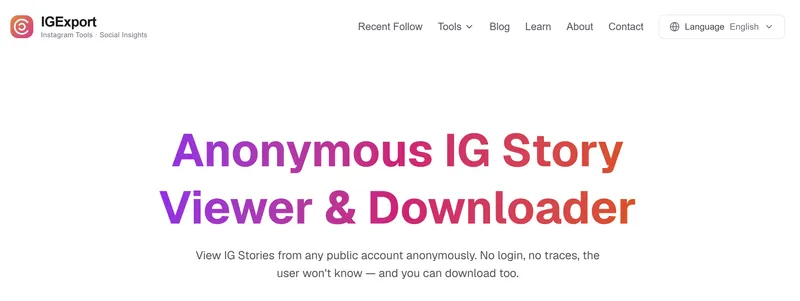
- Went to the IGExport site in the browser — no app, no account needed first.
- Typed in a username — I used Madonna's.
- Clicked "View" and waited a couple of seconds while it loaded.
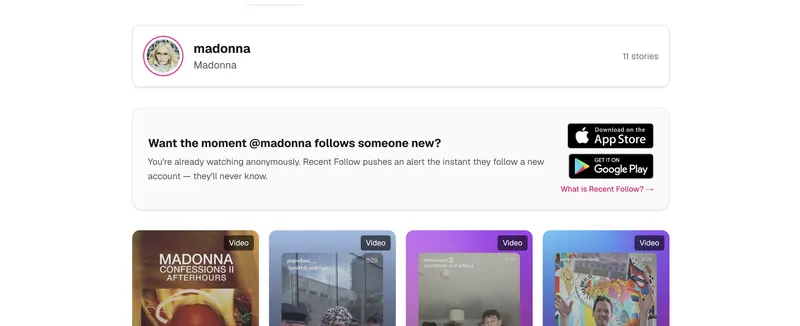
4. Eleven stories showed up, nothing more.
5. Each one had a download option next to it.
That's how to use the IGExport workflow — username in, stories out.
IGExport Instagram Profile Export Tool Features
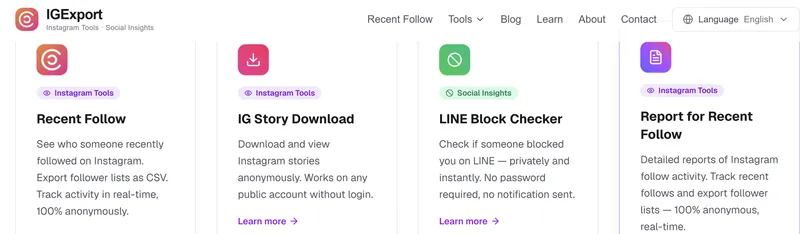
Anonymous IG Story Viewer & Downloader
This is the anonymous story viewer piece of the suite — type in a public username, and the IG Story Download tool pulls up whatever stories are currently live, with no login and no notification sent to the account owner. It only works while a story is still active, so anything already expired is out of reach, and there's no archive built in to go back and find something that's already gone.
IGExport Instagram Export Followers Tool
The IGExport Instagram export followers tool is the product's clearest strength. It's built specifically for pulling structured data — follower counts, following lists, and export files in CSV format — out of public profiles for analysis in a spreadsheet. For anyone comparing audiences, checking a competitor's followers, or just backing up their own list before a platform change, this IGExport tool does that one job cleanly.
Reels Download
For saving individual Reels rather than full profiles, the Reels Download tool takes a public Reel link and returns a file you can save directly, at the resolution the original was posted in. It's a one-at-a-time process — paste a link, get a file — rather than a bulk export, which is fine for saving a handful of clips but slower if you're trying to archive someone's entire Reels history.
Video Download
This IGExport tool works the same way as the Reels tool but covers regular Instagram video posts instead. Paste a link into the Video Download tool, and it returns the file without needing an account or app install. Like the Reels tool, it's built around public posts specifically, so a locked profile's videos won't be reachable through this route either.
LINE Block Checker
A bit of an outlier in the lineup — this one has nothing to do with Instagram at all. The LINE Checker is built to tell you whether someone has blocked you on LINE, the messaging app, without requiring a password or sending a notification either way. It's a useful reminder that IGExport isn't purely an Instagram company, even if that's most of what it's known for.
AI Relationship Analysis
The newest addition to the suite, this feature of the IGExport tool takes a different approach entirely — instead of exporting raw data, the AI Relationship Analysis tool is built to interpret patterns in someone's activity and surface what they might mean, rather than just handing over a list of numbers. It's a more interpretive layer on top of the same kind of public activity data the other tools collect, aimed at people who want a read on what's changing rather than a spreadsheet to work through themselves.
Is IGExport Safe?
Is IGExport safe to use? Based on what's publicly listed — App Store and Google Play availability, a published privacy policy, and no requirement to enter an Instagram password anywhere in the flow — there's nothing that stands out as a red flag. The tool doesn't ask for Instagram credentials, and the export process runs entirely through IGExport's own servers rather than logging into your account.
That said, is IGExport Instagram profile export tool safe in the sense of complete anonymity from the site itself? Like most web tools, it likely logs basic technical data (IP address, session activity) for normal operation — which isn't unusual, but it's worth knowing before assuming zero data footprint anywhere.
Is IGExport Legit?
Is IGExport legit as a company, not just a single tool? Everything points to yes — this isn't an anonymous single-page site. There's a full product suite (Recent Follow, IG Story Download, the follower export tool, a LINE block checker, and the newer AI Relationship Analysis feature), an About page, a Contact page, and apps listed on both major app stores. Is IGExport legit enough to trust with a public-account lookup? For that specific, limited use case, the available information supports it.
IGExport Reviews
IGExport reviews are harder to find in bulk compared to some bigger names in the space. Unlike IGExport's own product pages, which list a last-updated date, a blog, and support channels, there's no visible collection of third-party reviews — no Trustpilot page linked from the site, no dedicated review section. That's not unusual for a smaller, multi-product studio, but it does mean anyone looking for IGExport reviews before trying the tool will mostly be working from the company's own claims rather than independent feedback.
Is IGExport Anonymous?
Is IGExport anonymous from Instagram's point of view? Yes — requests route through servers, not your personal account, so the profile you're checking never gets a notification or shows your name in any activity log. Is IGExport anonymous from the website's own side, though? Not entirely — like any service, it can see the request come through, even if it never touches your Instagram login.
IGExport Instagram Profile Scraper Pros and Cons
- No Instagram login or password.
- Works across a browser or a dedicated iOS/Android app
- Free to use
- No support for private accounts across any tool in the suite
- No visible third-party reviews or Trustpilot presence to cross-check against
- Story viewer only catches stories that are still active, with no archive for expired ones
- Video and Reels downloads are one-link-at-a-time, not bulk
- Limited depth compared to an all-in-one dashboard — each tool does one narrow job
IGExport Alternative: When You Need Private Accounts Too
The clearest limitation in that toolkit is private profiles. If the account you're trying to check is locked, no export tool built the same way will get you in either — that's simply outside what a public-data export tool is designed to do, and it's also the most common reason behind an IGExport not working complaint in the first place. This is where a different kind of tool, one built to work with both account types, becomes the practical IGExport alternative, and it's also where a private story viewer earns its place alongside it rather than instead of it.
Peekviewer is exactly that. It's aimed at the same broad use case — checking Instagram activity anonymously — but extends coverage to private accounts, which those tools don't attempt. I tested it on the same Madonna account and saw everything in the dashboard — stories, posts, followers, and more, not just the eleven stories the other tool's viewer had pulled up.
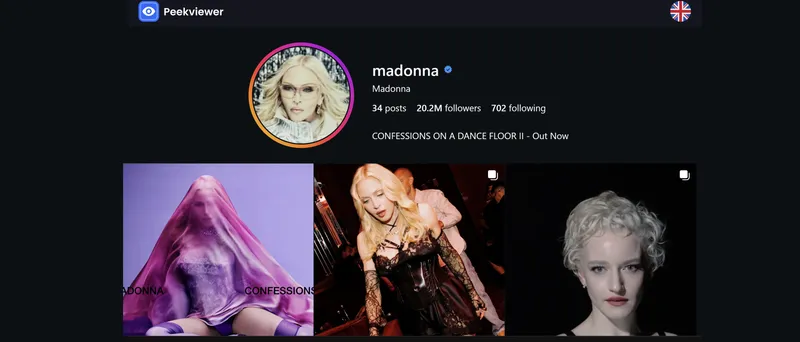
Peekviewer: More Features, Public and Private Accounts
Peekviewer covers the same ground as that follower and story export suite, then goes further:
- Works on both public and private profiles. This is the main functional difference from the export tool, which only ever reads public accounts. A locked profile that returns nothing in the other suite's follower export or story viewer will still load in Peekviewer's dashboard.
- Anonymous story viewing. Stories load directly in the dashboard with no name in the viewer list and no notification sent to the account owner — the same anonymity that story tool offers, just extended to accounts that aren't public.
- Full follower and following data. Comparable to that CSV export in terms of what's captured, but available for private accounts too, and viewable directly in the dashboard rather than requiring a separate download step.
- Content downloads. Photos and videos save in original quality with no watermarks, covering the same ground as the separate Reels and Video Download tools, but from one place instead of two.
- Comment and like activity. Visible directly in the dashboard, which goes beyond what a follower export alone shows — comment threads and like activity aren't part of that CSV file at all.
- Three-month content archive. Posts and stories stay viewable even after they've been removed from the account itself, which is useful in a way none of those tools currently attempt, since that story viewer only works on stories that are still live.
- No Instagram login required — the same no-credentials approach, carried across every feature in the dashboard rather than tool by tool.
Peekviewer Pricing
| Access type | 1 month | 3 months/mo | 12 months/mo |
| Public profiles | $59.99 | $35.33 | $15.00 |
| Private profiles | $99.99 | $60.00 | $25.00 |
IGExport vs. the Alternatives: Full Comparison
| Feature | IGExport | Peekviewer | Generic free viewers |
| Public accounts | Works reliably | Works reliably | Inconsistent, often ad-heavy |
| Private accounts | Not supported | Full access | Rarely supported |
| Follower/following export | Yes, CSV format | Yes, full data | Rarely offered |
| Story viewing | Yes, public only | Yes, public and private | Varies, often broken |
| Video/Reels downloads | Yes, separate tools | Yes, built into dashboard | Inconsistent quality |
| Comment and like activity | Not offered | Included in dashboard | Rarely offered |
| Content archive after deletion | Not offered | Three months | Not offered |
| Login required | No | No | Varies, some ask for credentials |
| Cost | Free | Paid | Usually free, ad-supported |
Conclusion
IGExport does what it sets out to do: a clean follower export tool, an anonymous story viewer, download utilities for Reels and video, a LINE checker, and a newer AI-driven relationship analysis feature, all limited to public accounts and all functioning as advertised. There's no red flag on safety or legitimacy — it's a real product from a real studio, just scoped to public data only, and that scope is really the deciding factor in whether it's the right pick for what you're trying to do.
Does IGExport work? For public profiles, yes, consistently, across every tool in the suite from the follower export to the Reels downloader. If a private account is what you're actually trying to check, though, that's simply outside IGExport's scope, and a tool like Peekviewer — built to handle both public and private profiles — is the more complete option, alongside a private story viewer more generally for anything IGExport's public-only tools can't reach.
FAQ
No. The IGExport tool is built for public profiles only. For private accounts, a different tool is needed.
Yes — no Instagram password is ever requested, and the tool doesn't connect to your personal account at any point in the process.
IGExport is a real, multi-product studio with published apps, a support page, and a working export tool — not a single throwaway page.
Peekviewer covers the same public-account use case as the IGExport Instagram profile scraper, plus private profiles, comments, likes, and content downloads in one dashboard
The most likely reasons are a private account (outside the tool's scope) or a mistyped username — both produce the same empty result.