



InsMask shows up everywhere — promising a quick way to watch Instagram stories anonymously. Just type a username and you’re in. No app, no account, no trace left behind.
Sounds simple. So we tested it across different account types to see how it actually performs. In most cases, it didn’t load any stories at all — it only showed the profile picture, with no access to real story content.
For comparison, we also tested a private story viewer that actually works in practice, to see the difference in real use.
What Is Insta Story Viewer InsMask?
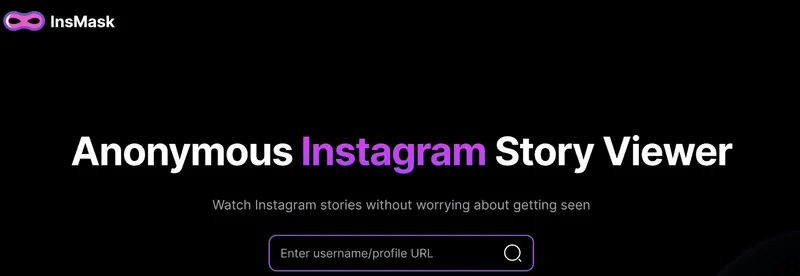
Insta story viewer InsMask is a browser-based tool designed for one thing — anonymous Instagram story viewing. Enter any username and it's supposed to pull up stories, highlights, and basic profile data without connecting to your Instagram account or alerting the account owner.
No IG login. No registration. Everything runs online in your browser, completely without account access from the first search.
The InsMask anonymous angle is straightforward: your identity stays hidden throughout. No name in the viewer list. No notification sent. No footprint left on any profile you visit.

InsMask Pricing: Is It Free or Paid?
This tool is free — no subscription, no paywall, no trial countdown. You can open the site and start searching right away, with no payment details required. That part is true.
What’s also true is that “free” comes with clear limitations. In testing, Insta story viewer InsMask mostly showed just the profile picture and, occasionally, a few current stories. Beyond that, nothing else loaded. There’s no paid option to unlock more, either — just a free tool with very limited functionality. It’s similar to tools like Instasaved — free to use, but not reliable in practice.
How to Use InsMask Anonymous Tool
The process itself is clean:
- Open the website in your browser — no app or install needed.
- Type in the Instagram username or paste the profile link.
- Hit search and wait for results.
- Browse whatever loads in the results panel.
InsMask Instagram Viewer — Can It Really View Stories?
The tool is built around one promise: watch Instagram stories without being seen. That’s what the name suggests, what the homepage claims, and what users expect when they search for it. In practice, it doesn’t reliably deliver.
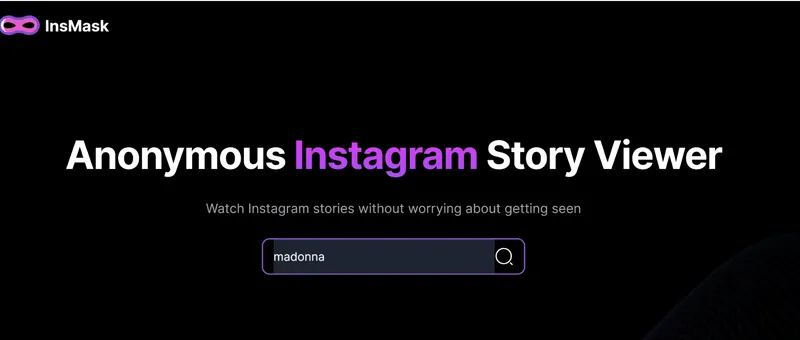
Step 1 — Enter a username
We tested it using a well-known account like Madonna. After entering the username, the tool loaded only the profile picture.
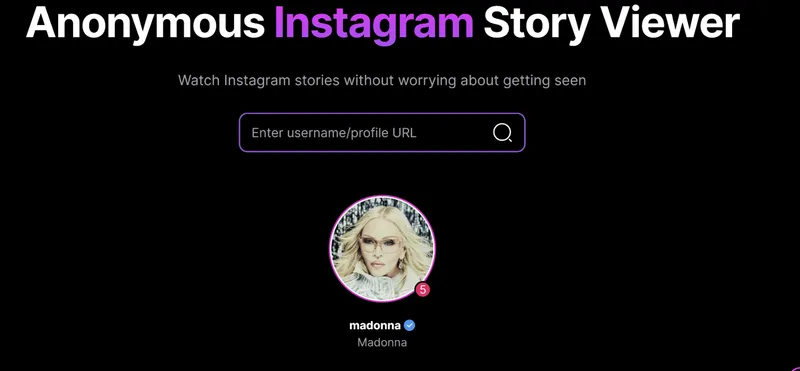
Step 2 — Wait for stories to load
At first, no stories appeared. After refreshing and trying again, a few current stories showed up — but not consistently.

Step 3 — Switch between tabs
The interface lets you switch between stories and highlights. Stories sometimes load, but highlights never did — the section stayed empty in every test.

Step 4 — Try downloading content
There’s a visible download button, suggesting you can save content. In practice, it didn’t work and didn’t return any files.
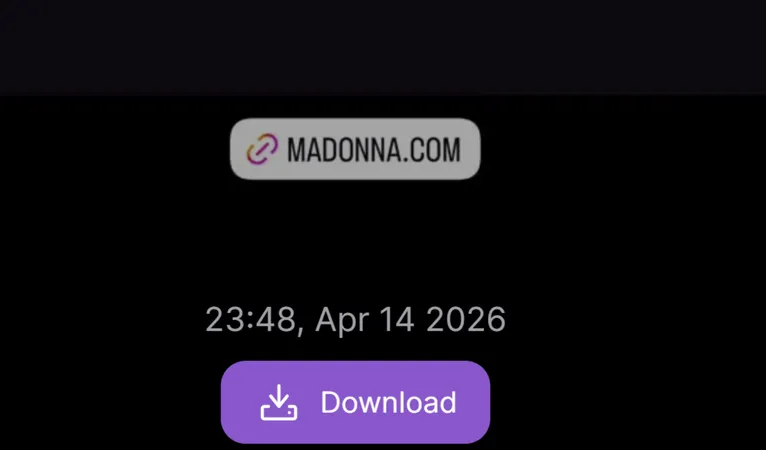
The reason comes down to how it works. It pulls data from Instagram’s public endpoints — the same ones used by basic scraping tools. These endpoints change frequently and without warning. When they shift, tools like this lose access to stories, and recovery is inconsistent.
That’s why results feel random. Sometimes a few stories appear, sometimes nothing at all. Imginn showed a similar pattern — profiles loaded, but stories didn’t.
A tool that works inconsistently like this isn’t a reliable story viewer — it’s a profile picture loader that sometimes catches a glimpse of a story.
Insta Story Viewer InsMask Reviews
Outside the tool’s own homepage, there’s almost no real user feedback on InsMask Instagram viewer. You won’t find much on Trustpilot or Reddit — which is usually a red flag for tools like this.
The only mentions come from scattered forum discussions, and the consensus is pretty consistent: it doesn’t really work. Users report the same issue — expecting a story viewer but getting little more than a profile picture, sometimes with a few stories if anything loads at all.
That lack of reliable feedback matches the experience itself. Tools in this category tend to follow the same pattern — for example, Insacret Instagram viewer returned “user not found” on almost every search, even for accounts that clearly exist and are publicly visible.
A tool that works inconsistently — or barely works at all — isn’t something people stick with or recommend.
Does Insta Story Viewer InsMask Work on Private Instagram Accounts?
No. No caveats, no workarounds, no partial access. The Insta story viewer InsMask does not load any content from private Instagram accounts.
Private profiles require an approved follow request — that access control exists on Instagram's servers, not in the browser. No external tool without direct API access gets around it. We tested two private accounts directly. Both returned a profile picture, a username, and a follower count — exactly what anyone can see on Instagram without following.
Nothing else loaded. Not stories, not posts, not highlights, not follower lists.
If accessing private accounts is the reason you're here, the InsMask Instagram tool can’t help. Tools like InSnoop hit the same hard wall — public endpoint access stops at the privacy gate every time
Is InsMask Safe?
Yes, in the basic sense. InsMask Instagram viewer doesn't ask for an Instagram password, doesn't connect to your account, and doesn't require any personal information. Your own IG profile has no exposure from using it.
Safety comes from the same place as the limitation. Without account access, it can only touch public data — which is safe but also means it can't do much. Private accounts stay private. Stories stay inaccessible.
The one area worth flagging: there's no clear information about what InsMask anonymous does with the searches you run. Whether usernames get logged, whether search history is stored, whether anything gets passed to third parties — none of that is disclosed. For anyone using this viewer to check Instagram accounts they prefer to keep private, that lack of transparency is worth considering. Safe to use once. Unclear whether it's safe to use regularly.
Pros and Cons of InsMask Anonymous Tool
- Completely free — no payment required
- No Instagram login required
- Works in any browser, no install needed
- Stories almost never load in practice
- No private Instagram account access
- No paid upgrade path for better access
- Results inconsistent across identical accounts
Peekviewer- The Alternative That Actually Shows More
If you need full access — not just a profile picture or a few random stories — Peekviewer stands out as a more complete solution. It’s built for users who want consistent results, including full story access and private account viewing.
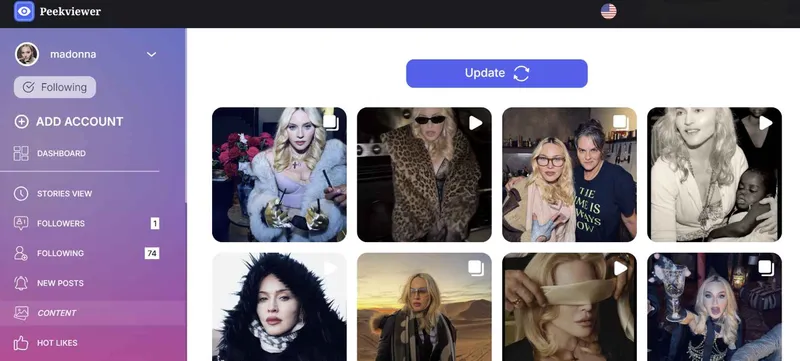
Peekviewer was different from the first attempt. The same celebrity account that had returned only a profile picture in InsMask loaded completely — posts, stories, highlights, follower lists — on the first try. This Instagram story viewer works on public and private accounts, requires no Instagram login, and the account owner has no way of knowing you were there.
Step 1 — Go to Peekviewer in your browser. No app, no download — opens on any device immediately.
Step 2 — Enter the username or paste the profile link.
Step 3 — Confirm the profile before doing anything else. Make sure it’s the correct account before moving forward.
Step 4 — Sign up with your email. No Instagram login required at any point.
Step 5 — Pick a plan to continue.
Step 6 —Open the dashboard and access the content, where you can view Instagram stories online instantly.
What the dashboard includes:
- Public and private profiles — works on both, giving full access where most tools are limited
- Anonymous story viewing — watch Instagram stories without appearing in viewer lists or triggering notifications
- Follower and following lists — full data available, not just basic numbers
- Three-month content archive — access deleted posts and expired stories even after they’re gone
- Content downloads — save photos and videos in original quality, with no watermarks
- No Instagram login required — works completely without connecting your account
- Fully online access — runs in your browser on any device, no app needed
- In-dashboard viewing — watch Instagram stories anonymously directly in the dashboard, without opening Instagram
Conclusion
InsMask is quick to open and simple to use — that’s where its strengths end. In testing, it occasionally showed a few stories, but inconsistently. Most of the time, stories didn’t load at all, private accounts returned nothing, and the free access that looks appealing upfront comes with a ceiling that makes it impractical for anything beyond checking a profile picture.
Peekviewer delivered where InsMask Instagram viewer didn’t. Private accounts loaded, stories appeared, and the dashboard covered everything — incognito throughout, with no account required and no trace left behind.
FAQ
No. This viewer works entirely online — no app required. Open any browser, go to the site, type a username, and search. Nothing to download or install.
Yes, but limited. This Insta story viewer is real — it loads without errors and the interface works. The limitation is that it rarely delivers the story content people are searching for. Legitimate as a profile checker. Not reliable as a story viewer.
Yes. The InsMask anonymous tool runs in a browser, which means it works on any device — iPhone, Android, desktop, or tablet. No app required, no platform restrictions.
There’s no clear answer. The platform doesn’t publish any real information about how it handles data, so it’s impossible to know whether searches or activity are stored or shared. There is a download button, which suggests you can save stories — but in testing, it didn’t actually work. It either failed to respond or didn’t deliver any content, making it unreliable at best.